How to Use BookMyClaw
Your complete step-by-step guide to getting started with BookMyClaw - the easiest way to deploy your own personal OpenClaw AI assistant in the cloud.
Table of Contents
What is BookMyClaw?
BookMyClaw is a managed hosting service that deploys OpenClaw (your personal AI assistant) on a dedicated VPS in minutes. No technical setup required - we handle all the complex deployment, maintenance, updates, and infrastructure so you can focus on using your AI assistant.
Key Benefits:
Latest AI Models Included:
• Claude Haiku (fast & efficient)
• Claude Sonnet (balanced performance)
• Claude Opus (maximum capability)
Powered by OpenRouter
Getting Started - Homepage
Step 1: Visit BookMyClaw
Navigate to bookmyclaw.com to see the homepage.
What you'll see:
- • Clean, professional landing page
- • "Your OpenClaw Deployed in Minutes" headline
- • Navigation menu with Home, Use Cases, Pricing, Compare, About
- • "Get OpenClaw" button to start the process
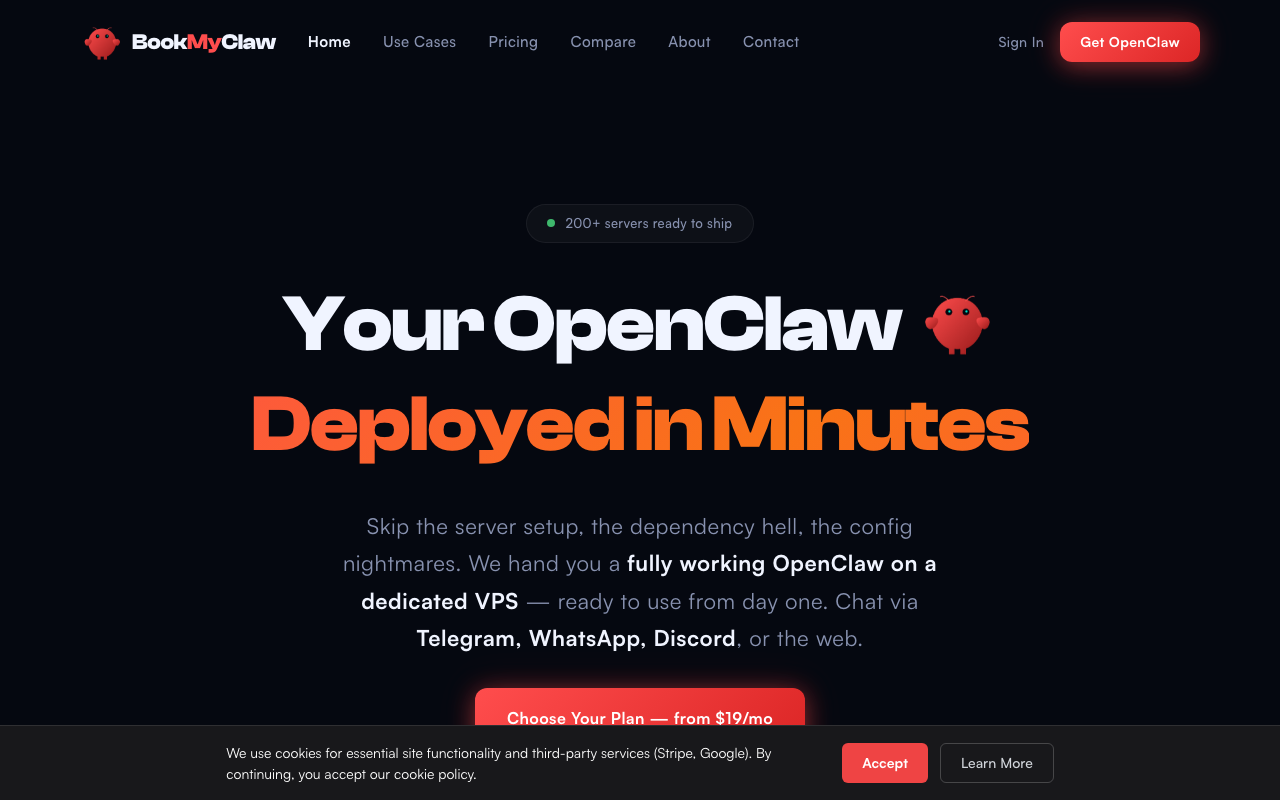
Homepage Features:
• Zero setup - no technical knowledge required
• Instant access - AI assistant ready in minutes
• Fully managed - we handle everything
• Private & secure - your own dedicated server
Next Step: Click "Get OpenClaw" or navigate to Pricing to see plan options.
Understanding Pricing
Navigate to bookmyclaw.com/pricing to see all available plans.
Seedling
$19/month
Perfect for personal projects
• 2 vCPU cores, 4 GB RAM, 40 GB SSD
• $5/month API credits included
• Email support
• All core features included
Surge
$39/month
For power users who rely on AI daily
• 4 vCPU cores, 8 GB RAM, 80 GB SSD
• $15/month API credits included
• Priority support
• All core features included
Titan
$79/month
For heavy workloads & max performance
• 8 vCPU cores, 16 GB RAM, 160 GB SSD
• $25/month API credits included
• Priority support + dedicated resources
• All core features included
What's Included in ALL Plans:
🛡️ Fully Private - Your own dedicated VPS
⚡ Instant Setup - Under 5 minutes from payment
🔄 Zero Maintenance - Auto-updates and backups
🤖 Claude AI Models - Haiku, Sonnet & Opus
📱 Chat Access - Telegram, WhatsApp, Discord, Signal
✈️ Telegram Bot - Connect your own bot
💳 Buy More Credits - $10-$500 credit packs available
📊 User Dashboard - Manage everything online
📋 Ticket Support - Professional support system
❌ Cancel Anytime - No lock-in contracts
Next Step: Choose your plan and click the corresponding "Get" button.
Sign Up Process
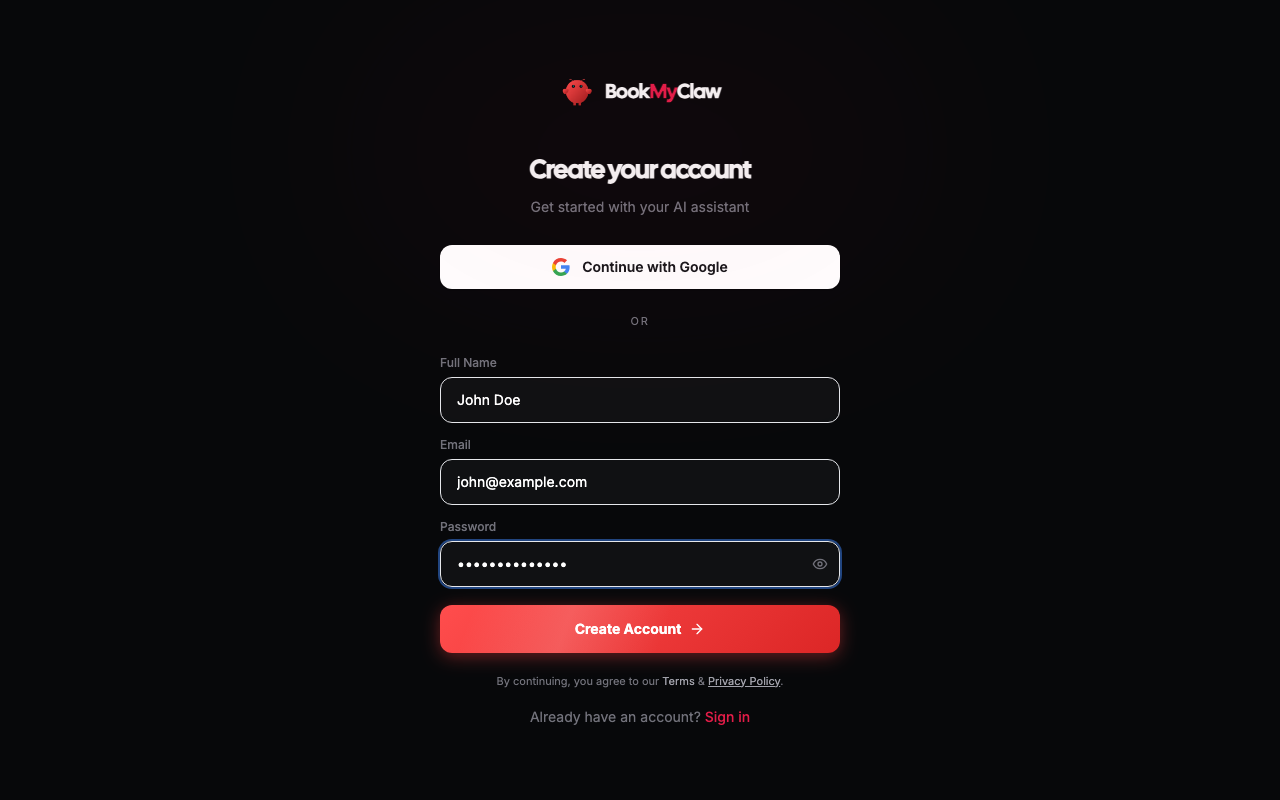
When you click any "Get [Plan Name]" button, a signup modal appears.
Registration Options
Option A: Google Sign-In (Recommended)
- 1. Click "Continue with Google"
- 2. Sign in with your Google account
- 3. Authorize BookMyClaw access
- 4. Automatically proceeds to payment
Option B: Email & Password
- 1. Enter your email address
- 2. Create a secure password
- 3. Click "Sign Up"
- 4. You'll need to verify your email before proceeding
Important Notes:
- • Choose a strong password if using email registration
- • Use an email you actively check for important updates
- • By continuing, you agree to the Terms & Privacy Policy
Next Step: Complete the registration process you chose.
Email Verification
Note: This step only applies if you registered with email/password.
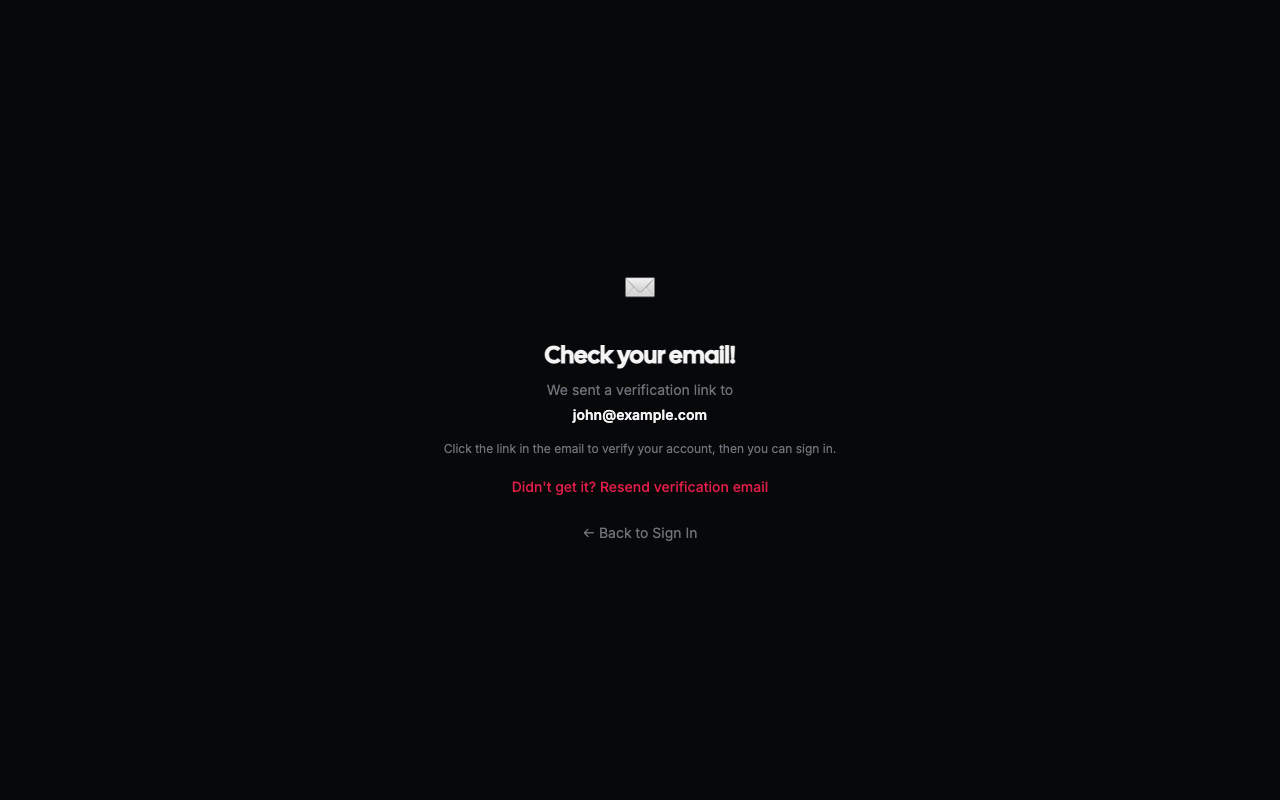
Verification Process:
- 1Check your email inbox for a verification message from BookMyClaw
- 2Click the verification link in the email
- 3Return to the website to complete registration
- 4Proceed to payment
Troubleshooting:
- • Check your spam/junk folder if no email arrives
- • Wait up to 5 minutes for delivery
- • Contact support if you need the email resent
Next Step: Once verified, proceed to payment.
User Dashboard Overview
After successful payment, you'll get access to your user dashboard at user.bookmyclaw.com.
Dashboard Login:
- 1. Navigate to user.bookmyclaw.com
- 2. Enter your credentials (same as registration)
- 3. Click "Sign In"
Dashboard Overview Tab
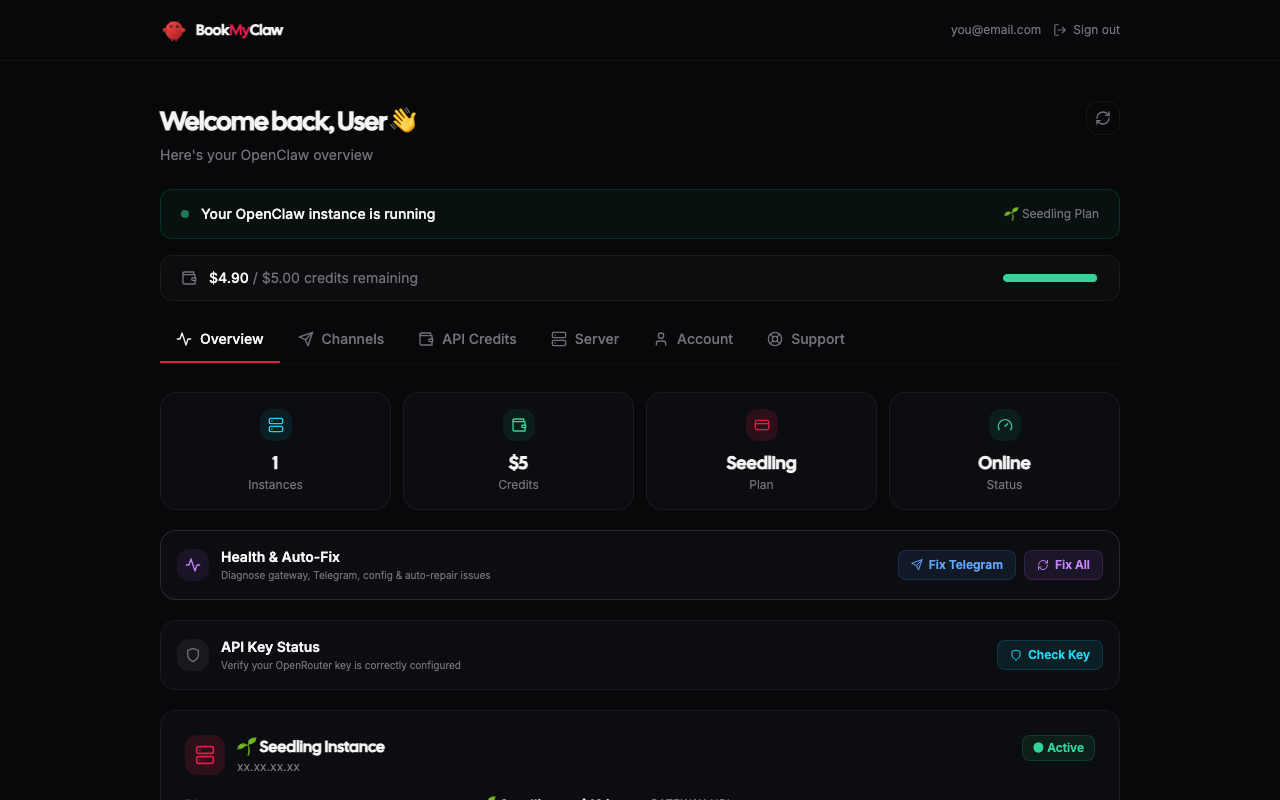
Important Dashboard Features:
• Server IP Address - Shown as xxx.xxx.xxx.xxx
• Gateway Access - Quick links to access OpenClaw
• Resource Usage - CPU, memory, and storage monitoring
• Uptime Tracking - See your server reliability stats
Next Step: Explore other dashboard tabs (Credits, Channels, Support).
Managing Credits
Navigate to the Credits tab in your dashboard.
Monthly Plan Credits:
🌱 Seedling: $5/month included
⚡ Surge: $15/month included
🔥 Titan: $25/month included
Plan credits reset monthly and don't carry over
Purchased Credits:
• Buy additional credits in $10, $30, $50 increments
• Custom amounts from $10-$500 available
• Purchased credits never expire
• Used after monthly plan credits are exhausted
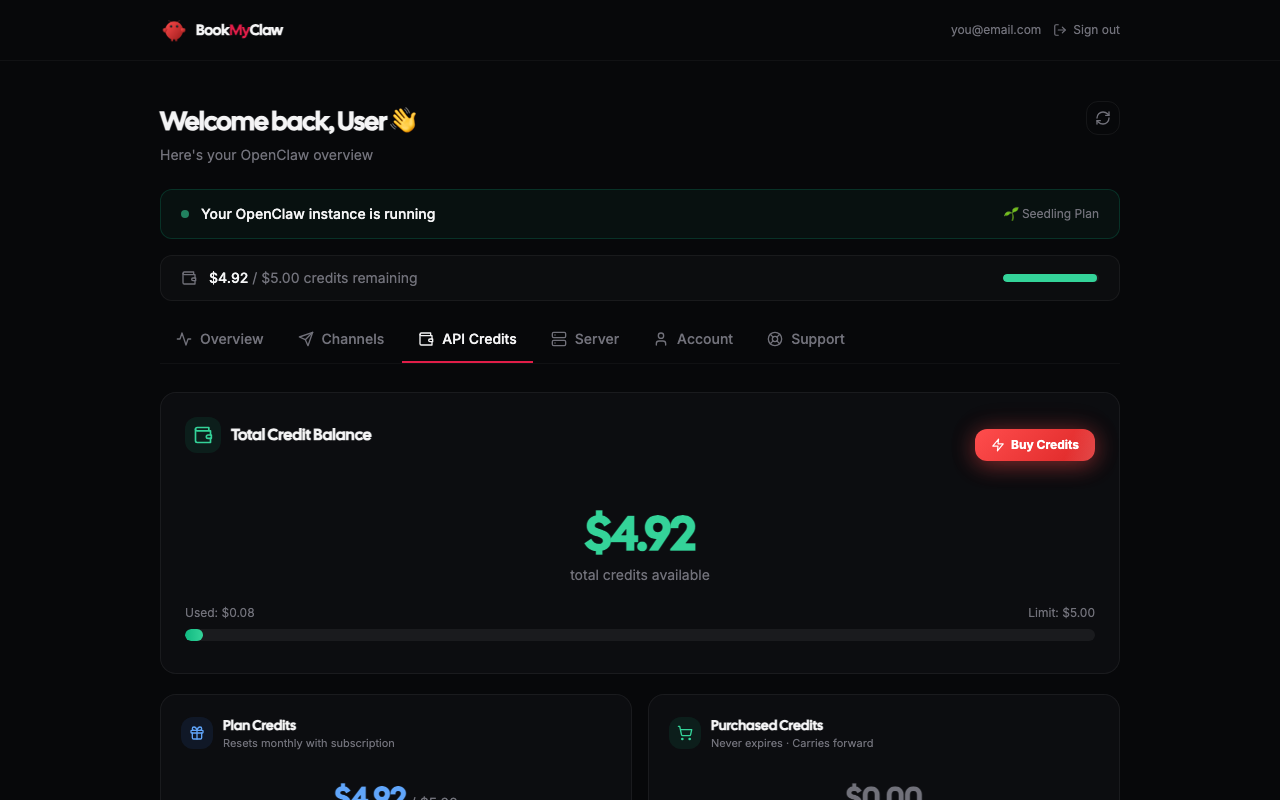
Buying More Credits:
- 1. Go to Credits tab in your dashboard
- 2. Select a credit amount ($10, $30, $50, or custom)
- 3. Complete payment via secure Stripe checkout
- 4. Credits added instantly to your account
Credit Usage Tracking:
• Real-time credit balance display
• Usage history and transaction log
• Breakdown by AI model (Haiku, Sonnet, Opus)
• Monthly usage patterns and trends
Next Step: Set up communication channels.
Connecting Channels
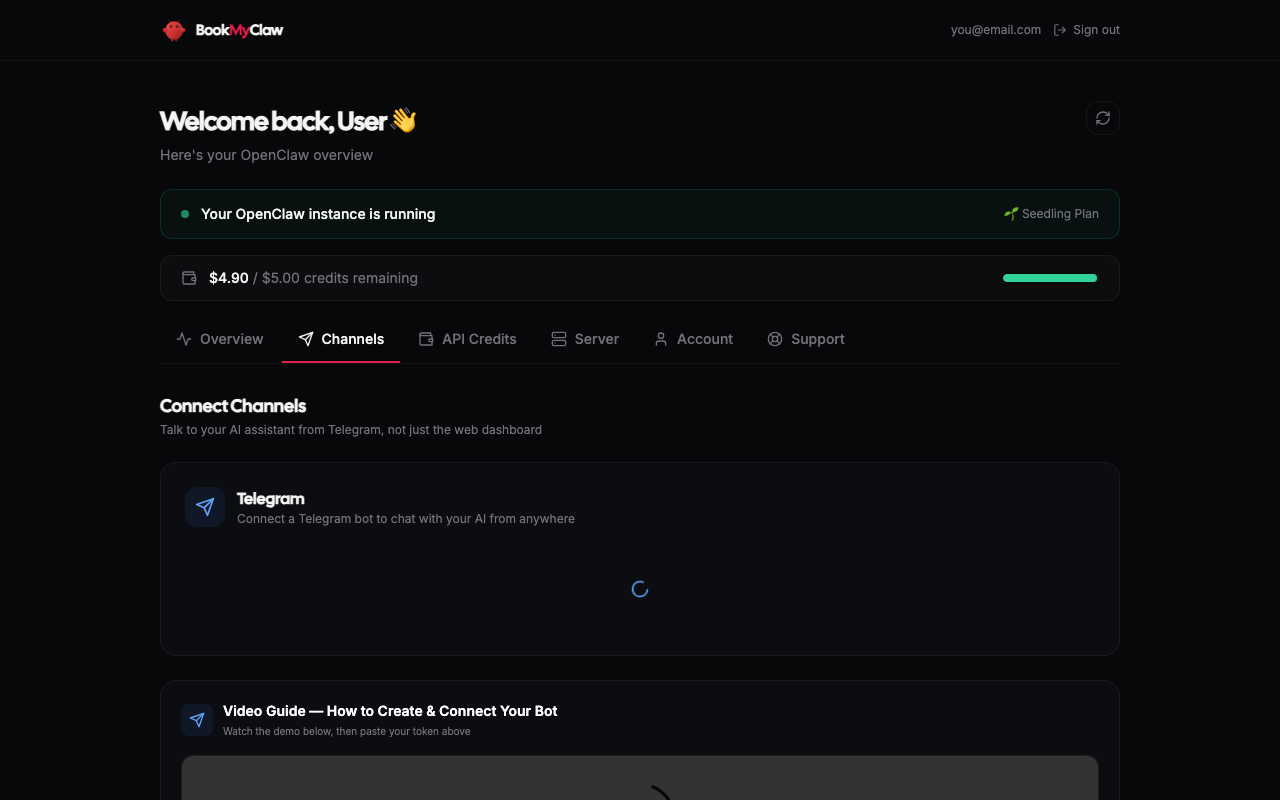
Navigate to the Channels tab to connect communication platforms.
🏆 Telegram Bot Setup (Most Popular)
Why Telegram?
• Works on all devices (phone, desktop, web)
• Reliable message delivery
• Rich formatting support
• File sharing capabilities
Setup Process:
- 1. Create a new Telegram bot via @BotFather
- 2. Copy your bot token (format: 123456789:AABBCCddEEff...)
- 3. In dashboard, paste token as: ••••••••••••
- 4. Click "Connect Telegram Bot"
- 5. Start chatting with your bot immediately
Other Supported Channels:
Discord Bot:
Create Discord application and bot, add token to dashboard
WhatsApp (Business API):
Requires WhatsApp Business API access, contact support
Signal, SMS, Email:
Various integration options available
Channel Management Features:
• Multiple channels simultaneously
• Channel-specific settings
• Message history and logs
• Enable/disable channels as needed
Next Step: Test your channel connection and explore support options.
Support & Help
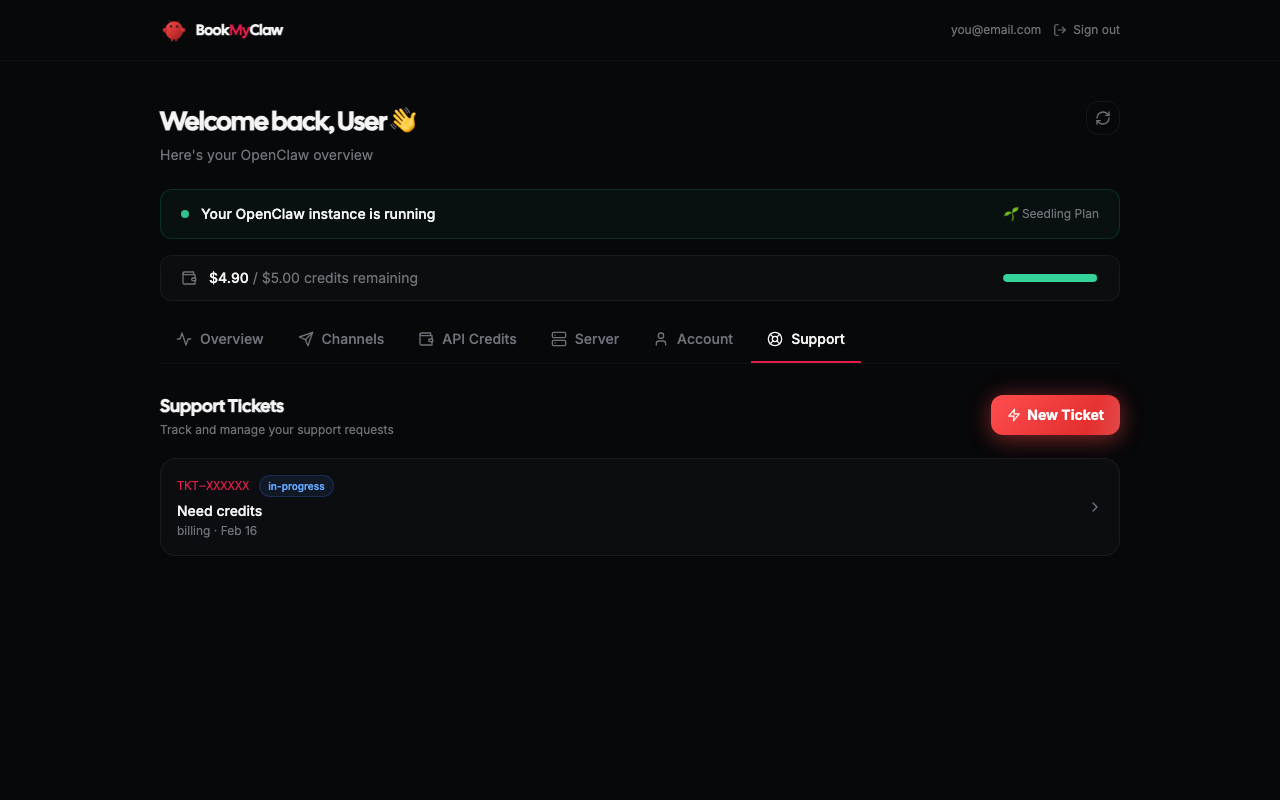
Navigate to the Support tab for professional assistance.
When to create a ticket:
• Technical issues with your server
• Problems connecting channels
• Billing or payment questions
• Feature requests or suggestions
• General questions about BookMyClaw
How to create a ticket:
- 1. Go to Support tab in dashboard
- 2. Click "Create New Ticket"
- 3. Choose appropriate category
- 4. Describe your issue clearly
- 5. Include relevant details (error messages, steps taken)
- 6. Submit ticket for review
Response Times:
🌱 Seedling Plan: Email support, 24-48 hour response
⚡ Surge Plan: Priority support, 12-24 hour response
🔥 Titan Plan: Priority support, 6-12 hour response
Before creating a ticket, check:
- • This comprehensive guide (you're reading it!)
- • Frequently Asked Questions on the pricing page
- • OpenClaw documentation and community resources
- • Common troubleshooting steps
Next Step: Start using your OpenClaw AI assistant!
Running OpenClaw
Your OpenClaw instance is ready! Here's how to start using it.
Accessing the OpenClaw Gateway:
- 1. Look for "OpenClaw Gateway URL" in the Overview tab
- 2. Click the "Run OpenClaw" button
- 3. Opens your personal OpenClaw interface
- 4. URL format: https://your-server-ip:8080
First Time Setup:
- 1. Gateway opens in your browser
- 2. Configure AI model preferences (Haiku, Sonnet, Opus)
- 3. Set up workspace and preferences
- 4. Test basic commands and functionality
Communication Methods:
💬 Direct Gateway Interface - Web-based chat
📱 Connected Channels - Telegram, Discord, etc.
🔗 API Access - For advanced integrations
🛠️ Command Line - SSH access (contact support)
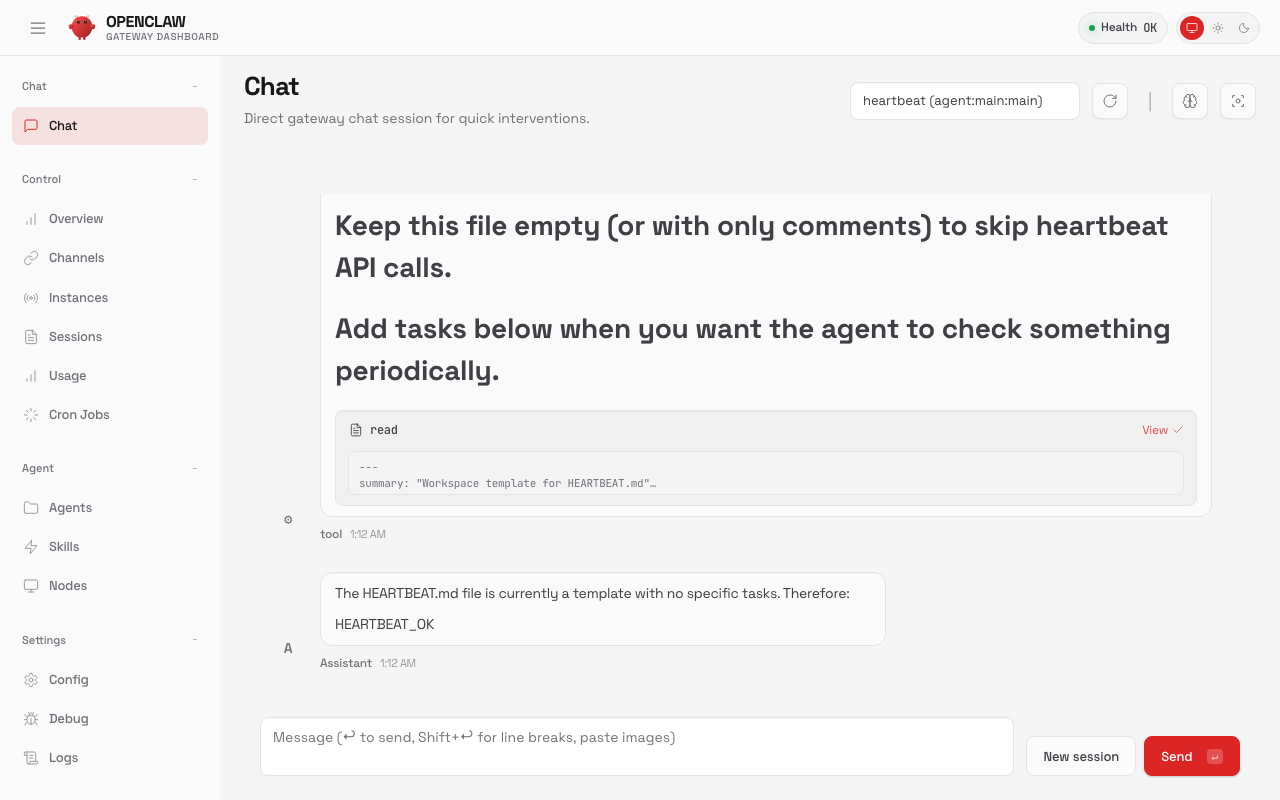
Common First Tasks:
1. Test basic chat: Say "Hello" and get a response
2. Check capabilities: Ask "What can you do?"
3. Web search: Try "Search for today's news"
4. File operations: Upload and analyze documents
5. Automation: Set up recurring tasks
Your AI assistant can:
🔍 Web search and browsing
📊 Data analysis and visualization
📝 Writing and editing assistance
🔧 Code generation and debugging
📱 API integrations and automation
💬 Multi-platform communication
🛡️ Security & Privacy
🛡️ All data encrypted in transit and at rest
🔒 No data sharing with third parties
💾 Regular automated backups
🏠 Runs entirely on your dedicated VPS
🔐 You control all access and permissions
🎯 Congratulations!
You now have your own personal OpenClaw AI assistant running 24/7 on your dedicated server. Here's what you can do next:
Immediate Actions:
✅ Test all connected channels
✅ Bookmark your dashboard
✅ Save your gateway URL
✅ Monitor credit usage
Ongoing Usage:
📊 Review usage monthly
🔄 Keep channels updated
📋 Submit feedback
🎯 Explore advanced features
Getting the Most Value:
• Use OpenClaw for daily tasks and workflow automation
• Connect multiple team members via shared channels
• Leverage API integrations for business processes
• Take advantage of included credits before buying more
Ready to get started?
Join thousands of users who have already deployed their own OpenClaw AI assistant.
Get OpenClawNo lock-in contracts • Cancel anytime • 5-minute setup